
TEMA ASUS ROG EVO-X EDITION TEMBUS AKAR, GRATIS & PERMANEN
Welcome to my blog friends, on this blog I usually share cool themes for oppo and realme phones on the basis of Android 10&11 and other versions depending on whether the link is available or not and this blog is connected to my YouTube, so for a complete video tutorial You can visit my channel, Holik Akbar, because here I only share the download link for the theme.

This opportunity I want to give you a new theme, namely the Asus ROG EVO-X theme with a minimalist concept because it's easy on the eyes, of course it supports OPPO Coloros 7.11 cellphones and UI 1 & 2 realms.
So, you can also visit my channel, Holik Akbar, where I have made hundreds of various themes, if there are old themes that support Coloros 3, 5, 6, etc., please check the playlist in my theme, so don't worry about devices. you guys coloros 3,5 and 6 check out my old themes.
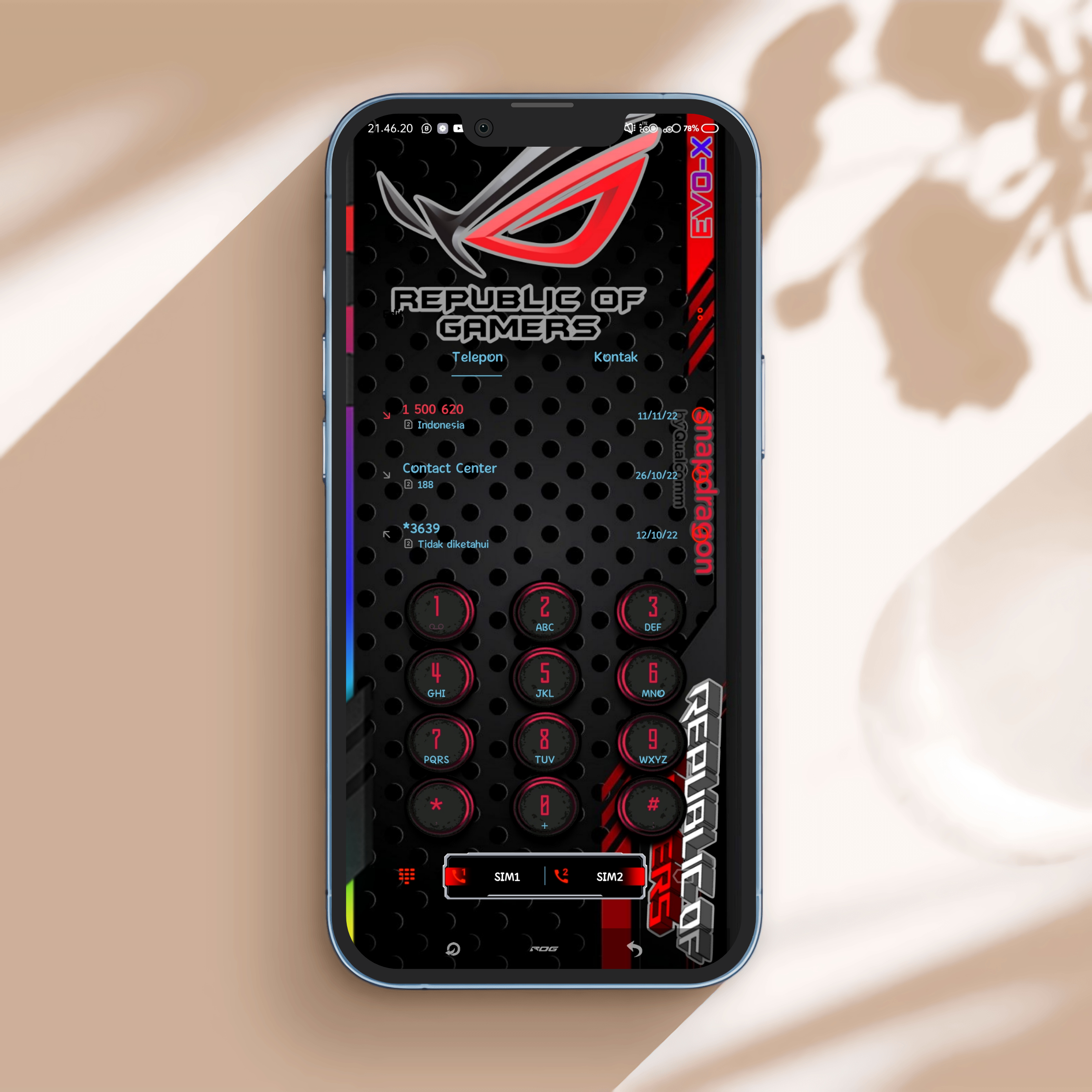

-Concept ROG 6 EVO-X
-ROG concept wallpaper
-Gradient Control Center
-gaming concept
-icon original asus rog
-lockscreen minimalism
Credit thanks to
Holik akbar creator theme
Credit thanks to
Holik akbar creator theme

Before downloading the theme make sure/before downloading the theme make sure:
1. Imod pro version 1.3.4 has been installed/Imod pro version 1.3.4 has been installed
2. Android 10, use theme store V.6.5.0 or above and Android 12, use version 7.4.2 by uninstalling the update in the top right corner of the theme store application info, then download the theme store V.7.4.2, the description of the ios 16 video on my channel holik Akbar or versi 8 with the application set edit/android 10 uses theme store V.6.5.0 or above and android 12 uses version 7.4.2 by uninstalling the update in the upper right corner of the theme store application info and then downloading the theme store V.7.4.2
how to apply theme
1. go to the file manager then find the theme you want to use/go to the file manager then find the theme you want to use
2. first extract the zip file by entering the password from the video on my channel, holik akbar, on video ios 16/first extract the zip file by entering the password from the video on my channel, holik besar, on video ios 16
3.click the theme file and click trial then go to imod pro and click the blue moon icon with a white line in the middle, position the button at the top/click the theme file and click trial then enter imod pro and click the blue moon icon with a white line in the middle, the position of the button at the top.
My own themes are usually see-through, including the settings, contact, message, file manager, lockscreen, etc. and my theme usually has a password, sometimes I put it in the video, sometimes I write in the video description, so you have to read the video description before downloading and to How to install it yourself, there's a video review of the theme on my channel Holik Akbar guys, if you want to be clear, you can find my video on how to install the theme permanently.
-Note: use another browser if the download error is with the chrome browser
-Android 10 Realme UI 1/ColorOS 7(oppo)
•Link download:Dwonload tema
-Android 11 Realme ui 2.0/ColorOS 11(oppo) check against the phone to know the coloros version
•Link dwonload:Dwonload tema
Check password in the description of the video on the Holik Akbar channel (on the video theme asus rog EVO-X)
Don't forget to stop by every day and see you in the next article!!
See you all.
Post a Comment for "TEMA ASUS ROG EVO-X EDITION TEMBUS AKAR, GRATIS & PERMANEN "